
Group Life enrollments may ask for a Beneficiary Assignment.
- First, select the plan, ensure you receive the green checkmark.
- In the Beneficiaries panel below, enter the Primary and Contingent
- By default, your dependents are listed, but you may add additional beneficiaries (non-dependent persons or trusts):
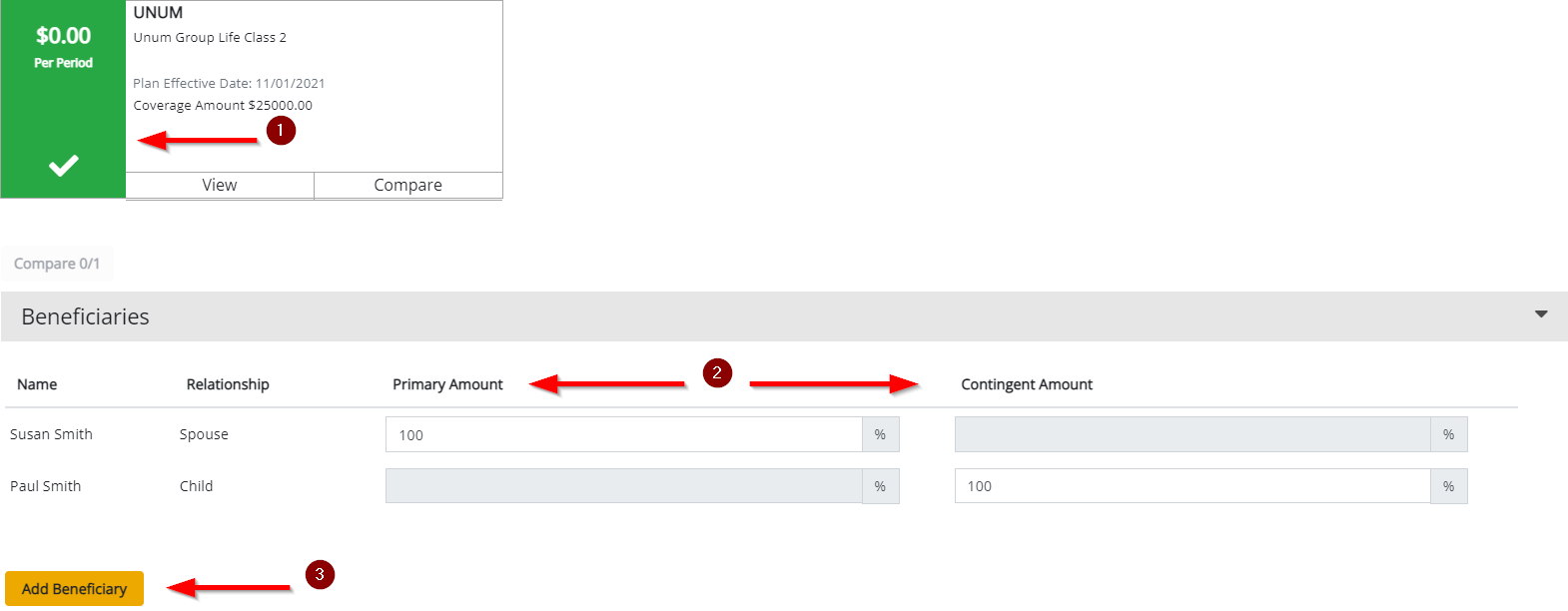
To add a Beneficiary, click Add Beneficiary.
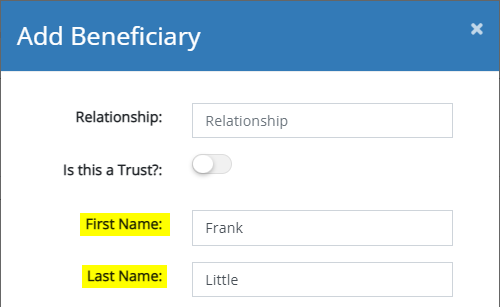
- If this beneficiary is a Person (non-Dependent), enter at minimum the First and Last Name and any supplemental information to help identify this individual. Then click Save:

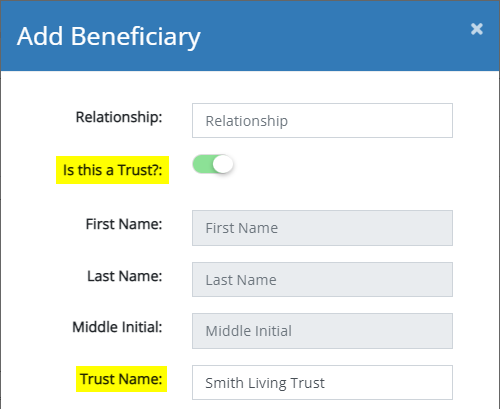
- If this beneficiary is a Trust (non-person beneficiary), be sure to select Is this a Trust? and enter the Trust Name, and any additional information to help identify this entity. Then click Save:
Comments
0 comments
Please sign in to leave a comment.