
Why use captions and translation in a Xenium workshop?
Live captions and translation help make Xenium virtual workshops more accessible, inclusive, and easier to follow.
You may want to use this feature if you:
Prefer reading along to stay focused or absorb information better
Are in a noisy environment or cannot use audio
Speak a different primary language than the presenter
Want extra clarity for fast paced or technical discussions
Support accessibility needs for yourself or others
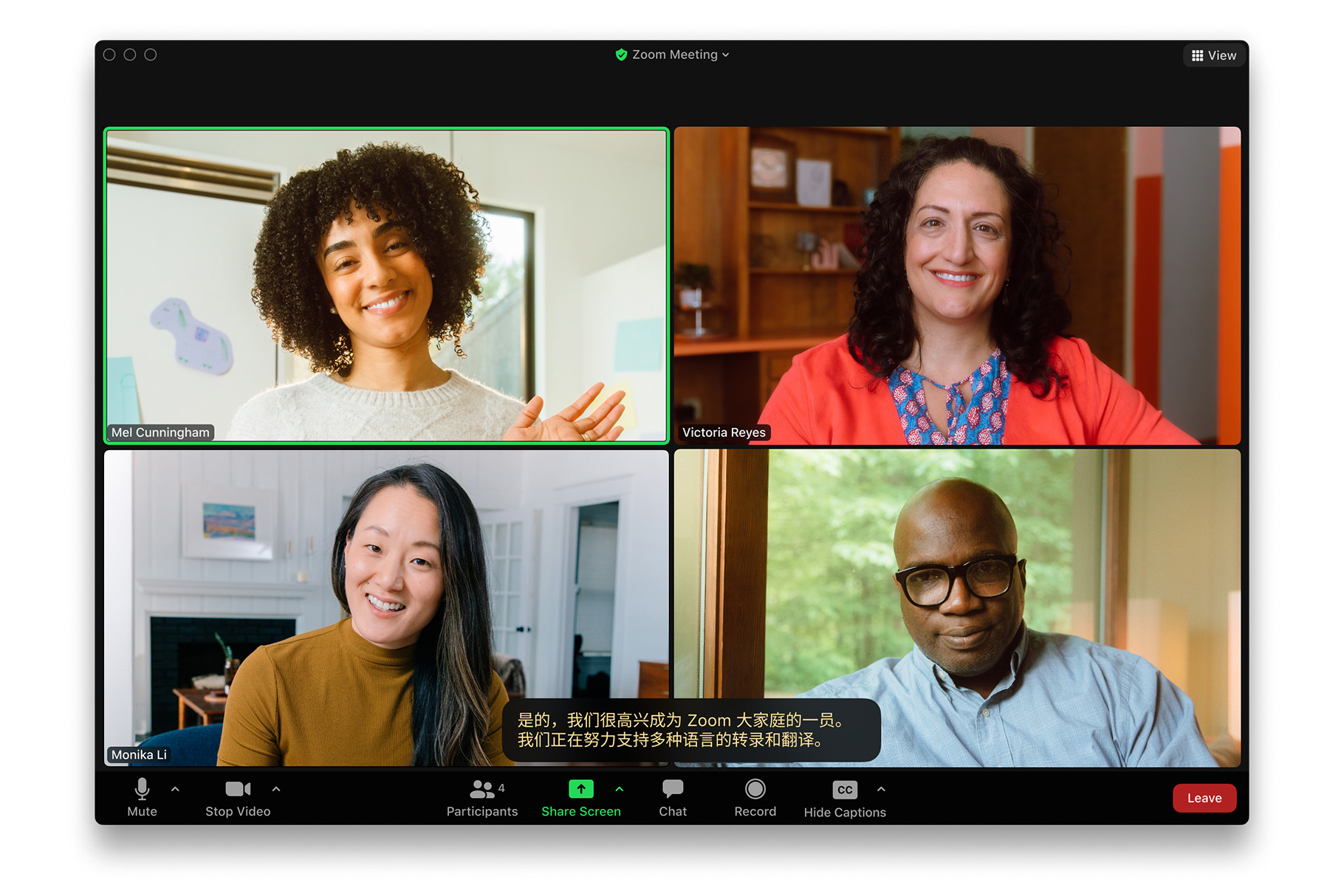
Zoom’s captions and translation tools allow participants to see real time captions and translate them into their preferred language during the session.
How to turn on captions and translation in Zoom
Follow these steps during a Xenium virtual workshop.
Step 1: Join the Zoom meeting
Join the workshop using the Zoom desktop or mobile app. Captions and translation work best on the desktop app.
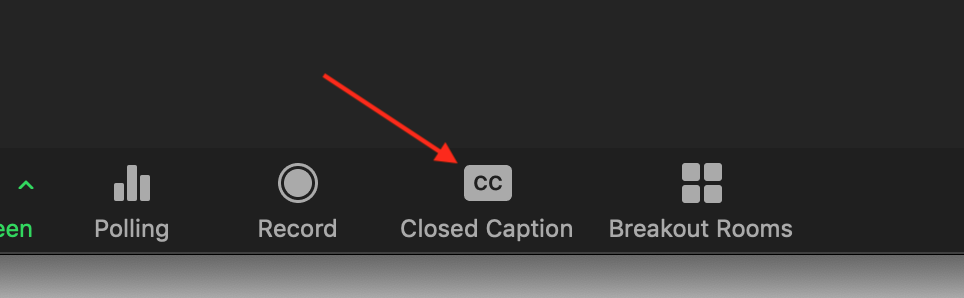
Step 2: Find the CC button
At the bottom of the Zoom meeting window, locate the CC button in the meeting toolbar.
If you do not see it, click More (three dots) and look for Captions.
Step 3: Turn on captions
Click CC and select Show captions.
You should now see live captions appear at the bottom of the screen as people speak.
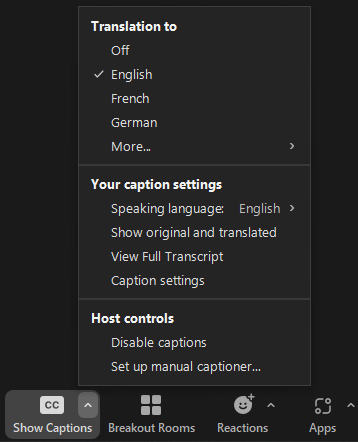
Step 4: Open caption and translation settings
Click the small arrow or settings icon next to CC, or select Caption settings.
This opens the captions and translation menu.
Step 5: Choose your languages
In the captions menu:
Set My speaking language to your primary spoken language
Set My caption language to the language you want captions translated into
For example, you may speak English but want captions displayed in German, Spanish, or another supported language.
Changes apply immediately.
Helpful tips
Captions and translation accuracy depend on audio quality and internet connection
Translation works best when speakers talk clearly and avoid talking over each other
If captions stop appearing, toggle CC off and back on
Not all workshops may have captions enabled by default. If you do not see the option, reach out to the Xenium team
Need help?
If you are having trouble turning on captions or translation during a Xenium virtual workshop, contact your Xenium HR Business Partner or the Xenium support team for assistance.
Comments
0 comments
Please sign in to leave a comment.